Showing posts with label Freebies. Show all posts

16+ Best Flat Icon Sets For Website Free Download

1 comment
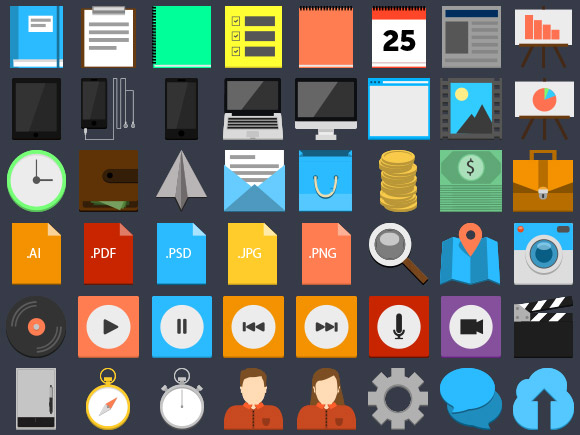
Flat design is web design trends nowadays. So, it is affect to all component of design. One of them is icons to use in web design. Here, i share 16+ flat icon sets to use in your design.  These icon sets divided into various topics that has its own uniqueness, because its designed by different people. I collect this from freebiesbug.com

Here they are..

1. 75 flat-style PSD icons


Read More...

10 Websites to Find & Download Free icons

Leave a Comment
One of the factors that determine good or not a web design are the icons used. The icons serve as a description of label or text in the web. Sometimes, icon also used as a substitution for the word on the menu, because it looks better visually and easy to understand. The fact said that the representation of something by using a picture (icon) is better and preferred by users.
Therefore, the use of icons when designing a web page can not be underestimated. But, the problem is, not all web developers expert in designing or making icons. So, here i am sharing a list of sites for free and paid-source icons which sort by  quality and completeness of the icon .

1. Iconfinder

Icon Finder
Read More...

15+ Best Free Magazine/Blog Blogger Templates

Leave a Comment
Today, Blogger users using blogger not only as blogging platform to share their story. Blogger also used for news, reviews, tutorial, online shop and other kinds of website to make money. Because of that, the necessity of blogger templates which suitable with those niches of website is increased. The Magazine blogger template is one kind of popular blogger templates needed by people for their news, reviews and magazine blogger site. Here, i share 15+ the best free blogger template with magazine & blog style. I hope you enjoy & love it.

1. Pertamax!!

Pertamax original blogger template
Pertamax!! is a Flat and HTML5 Blogger template. Designed by an indonesian called Kang rian. Although it is just blogger template, but it have some cool features and widget. The design is fresh. The navigation is also visitor friendly with top navigation menu. It also have 3 columns footer widget. This template have a red style as original and blue style.

Read More...

How To Fix and Avoid Missing Title Tags In Blog/Site Pages

8 comments
This post is about meta tags for SEO onpage in your blog. Before I talk more,i recommend you to read also this important related posts :


Duplicate content make SERP down
Seo onpage tips : Optimize page attributes and elements
How to fix duplicate meta description
 
Okay, before discussing the tutorial, I will explain what is it and how important it, in order you more serious and don't underestimate this stuff.

-What is title and title tag, and how important those-


You surely already know what is title. Title is the name of a site page. Title describe the contents of a site page. without a title, the content a site page is not be known by users who will visit it. In the page of a website, title displayed like this (see the image) :

this is title page for about me page


Title is very important for a website pages, Especially for SEO. What is the first indexed from a website by search engines ? What the displayed results in search engines when we searching?
Well, The answer is TITLE. Title is most important element for SEO of website. Therefore you must pay more attention for this.
Then, What is Title Tag ?
Title tag is a html code which is used to create title for site page. In HTML code, Title tag is placed between head tag(<head></head>). Title tag used by robot crawler to detected that the sentences between title tag is title of pages.


<Html>
<head>
<title>this is title of website pages<title>
</head>
</html>


-How can title tag missing?-


The first i say is : I would never write this post if there are no missing title tags. hehehe.

Everyone have known that title is very important. So, when they create a site page, they are never underestimate it. They surely complete the page with title tag.

Unfortunately, any site -In this case is dynamic site- not only constructed by pages which created manually (by type the source codes). Moreover a blog pages which created by tools. Sure, any site have a program that used to create page automatically, which in general is to create page of post or other updated information.

Well, the problem is in the program. The error in the program can cause missing title tags. This can also occur in your blogger blogs if your meta tags have an error.

However, blogger actually has set their blog free of this error. As Default, Blogger blogs has set without any error. So, This error usually caused by users which put meta tags manually in their blog. Indeed, This is will make the blog more seo friendly. But, This also make an error, missing title tags.

In blogger blog, Usually the pages which missing title tags are archive pages, pagination pages, search result pages, and even static pages.

So, if you want to add meta tags manually for your blog, be careful! because some of codes in tutorial instead make an error in your blog.

In this blog also there are post about SEO friendly Meta Tags. But, I guarantee you will not be find your blog have an error if you use SEO friendly meta tags which i recommended.

-How can you know your blog/site pages have missing title tags?-


There are two ways to know your blog pages have missing title tags :

1. You open the pages in your blog/site one by one in your browser. If you see a page which has no title, then that page is missing title tags.

page with title tags

page without title tags


2. You use Google webmaster tools for your blog. See the tutorial about Google Webmaster tools in this blog if you new in Google webmaster.

How Important Webmaster tool
How to submit site to Google Webmaster tool
Google Webmaster Tool Features

In Google webmaster tools, there is a feature to detect your blog pages with missing title tags. Just go to Optimization Menu > Html improvement > Missing title tags.

missing title tags on google webmaster tool


-How to fix and avoid missing title tags in blogspot blog?-


If you found your blog pages missing the title tags, Immediately fix it by the way below :

1. Log in to your Dashboard.
2. Go to Template Menu of blog selected.
3. click "Edit HTML". *don't forget to backup your template before edit HTML

4. Find the code "<b:include data='blog' name='all-head-content'/>". you can press "CTRL + F" to search.

5. After that, Put the following codes under <b:include data='blog' name='all-head-content'/>


<b:if cond='data:blog.url != data:blog.homepageUrl'>
<title><data:blog.pageName/> | <data:blog.title/></title>
</b:if>


If be translated to human language, the code above is mean :
"If the url is not home page url of blog, then the title is 'page name | blog title'"..
the example : the title of About me page in this blog is "About me | Syakirurahman"
You can remove " | <data:blog.title/> " if you want your page title not followed by your blog title. But, i recommend you to keep use blog title in your blog pages. Because, I think that's more SEO friendly and more interesting. You also can modify " | " as you like. The example change it by " : " or " - ". That's up to you.

6. Finally, Save and finish editing. Just check the result.

-How about site besides blogger blog? for example wordpress or other website?-


Surely, if the kind of site is different then the way is different too. But, in other site besides blogger, this case is very rare found. So, I am not discuss it here. Maybe, i will post it later. Or feel free to contact me if you found this problem in your website. Insyaallah, I will help you by my best.

Happy Blogging :)

Muhammad Syakirurohman with his young spirit.
Read More...

Beginning to Learn About Web Security and Hacking

Leave a Comment
website security and hacking Internet is a media which allows us to connect and found the thing we are looking for. By all of the easiness, internet was able to anesthetize everyone to use it. Currently, the number of internet user has been growth rapidly. This is cause website realms growth rapidly too. Many people create website or blog with various aims. there are  for expression of opinion, diary, support tool of business, and even make money online.
Amid mounting this growth of site realms, several irresponsible people appear to take unilateral advantage. Their action harm others. They stealing data and deface of others website, stealing private data, even break into the bank accounts through the internet. They are what we called as Hacker.
As a website or blog owner, it is a mandatory thing to know about web security and how hacking works. At least, This is to avoid you website or blog touched by irresponsible hands. Usually, for blog which use famous platform like blogger/blogspot and wordpress is safer because it was designed very safe by default and it database hosted at big server which is very safe too(google data center and wordpress server). But, it is not reason for you to don't know about web security.
However, It is different if you build website or blog yourself and hosted at yourself hosting. You need high skill to build strong security for your website. Therefore, here is the important reason why you must learn about website security and hacking. Learn about hacking is not mean you will become a hacker. it is just to know how hacking works in order you can prepare to avoid it when someone attack your site.
Then, just learn it to secure your website now. There are many website in internet which is give tutorial and knowledge about website security and hacking. one of them is http://ilmuhacking.com (indonesian website). Learning with patience and keep spirit. Let study with me together.

About my learning
myself also just beginning to learn about it. I use www.ilmuhacking.com as my source. My desire to learn it has been there about a month ago. But, just now i can learn it. My motivation actually is not only for secure my website. Other motivation is because i want to hack some website which contains racial intolerance elements and other which violate the law.
About two month ago, I felt in indonesia appeared several facebook fanspages which contains racial intolerance. I very hate it. Then, I also found many website which contains similar contents. So, I decide to hack them in order my country is free from cleavage and stick together.

Well, How about you ?

Muhammad Syakirurohman with his young spirit.
Read More...

10 Programming and Designing Skills to Blog Professionally

Leave a Comment
There are many skills that you must mastered to blog professionally as i said. One of them is basic programming and designing sites/blog skills. Read also "7 basic skills needed to blog" in this blog. Well, the skill which discussed in this article can be said is the advanced of programming and designing skills.
This is so important if you want to become professional blogger. You will be more freely to manage and edit your blog/site performance or design. You also should not to ask and hire someone to help you to edit your blog.
The following is those skills. I arrange it by level of importance. So the first point is most important.

1. HTML
Hypertext Markup Language(HTML) is most important. All bloggers must mastered this programming language. This is most important basic of web programming. All sites constructed by HTML codes. Don't worry, HTML is easy if you like to learn it. The new version of HTML is HTML5. For more details about HTML, Read this > Know HTML programming.

2. CSS
CSS or cascading style sheet is a programming codes to design and decorate your blog/site. Your blog will be interesting and nice to look by this codes. The new version of CSS code is CSS3. to more details about css > know css codes for your blog.

3. Adobe Photoshop
I am sure, you have heard this software, or even you have mastered this. Adobe photoshop is a software to edit photos or images. This software is needed to designing your blog. You need this to create banner image, logo and other for your blog.Adobe photoshop 'make cooperation' with css codes to create a good design for blog.

4. XML
XML is just for blogger/blogspot blog. For you who are not use blogspot, xml is no need to mastered.
Actually it is not programming language. XML (Extensible Markup Language) is a metalanguage that allows users to define their own customized markup languages. XML was designed to transport and store data. XML in blogspot used for take your data from database (google data center) to show in your blog.


5. Jquery
Jquery is part of javascript. It is friend of css codes. they are complemetary. Jquery is for unique effect style, while css is for decoration. To use Jquery you firstly must install Jquery in your sites.

6. Corel Draw
Actually this is similar with adobe photoshop. It is a software to design too. Only, corel draw is more to draw/create images.

7. Javascript
Javascript used if you want your blog more interactive. you can make function with this codes. javascript usually used by bloggers who want their blog more interesting. Javascript which most used is Jquery.

8. PHP
Hypertext Preprocessor (PHP) is a widely used, general-purpose scripting language that was originally designed for web development to produce dinamic web pages. PHP is only used for wordpress blog or other blog who support php codes.

9. Database
Database is highly correlated with php. Php create a dinamic web page by data from database. This also only for wordpress blog (self hosting). You can create a new function for your blog by create database and use php codes to run in blog.

10. Adobe Flash
This is advanced of designing skills. This is software to create animation for your blog. Well, this is for make your blog more interesting by animations.

From the 10 skills above, some of them will be i write about it tutorials. There also the articles about this have written. you can find it in web design and web develope category. If you want to get more and step by step tutorials you can learn it in www.w3schools.com. w3schools is  a website contained about programming tutorials(basic - master). I believe, you will helped by this site because i think it is so good website with very useful contents.

Well, From the 10 skills above, which have you mastered and most interested? Just prioritize the most important skills. Happy Learning and Blogging :)

Muhammad Syakirurohman with his young spirit.
(image from sphereofinfluence.com)
Read More...

What is Robots.txt File and How to Set It

2 comments
As a blogger, maybe you are ever to heard the word of 'robots.txt'. I believe, you surely confused when heard it. Well, I also confused when i heard it first time. But Now, i had know it and i will share and explain it to you as my best.

What is Robots.txt

Robot.txt file is a file with text(.txt) format that owned by each sites that online in internet. Any sites should have this file or the security of that site will broken. Robot.txt serves to control and regulate which the pages or directories will published in search engines. how it works is by put some codes inside it to control search engines to crawl or not the pages in that website. It surely to protect your system pages to known by people. Administrator pages is a page which abstinence to known by peoples or indexed by search engines. So, all of sites surely disallowing it administrator pages to indexed by search engines. Well, It is did by robot.txt. Robot.txt allow you to manage which the pages may crawled and indexed by search engines.
same as website, Blog also have robots.txt file. Only, robots.txt in a blog usually have set as default by the blogger platform. For blogspot blog, the default of the robots.txt is set like this :

User-agent: Mediapartners-Google
Disallow:

User-agent: *
Disallow: /search
Allow: /

Sitemap: http://blogURL/feeds/posts/default?orderby=UPDATED


The meaning of the code above is the robots.txt file allow the google adsense crawler to crawl all pages of your site invariably, and allow all crawler to crawl all of your blog pages except the page with url prefix blogURL/search. The pages with this url prefix is labels and archives post pages.

How to Set Robots.txt

If you want to modify and set your robots.txt, firstly you must be careful because an error of your setting will make your website SERP on search engines disappear. You must have a clear purpose because it is not a little thing for your site/blog.
Okay, now I will tell you how to set it by right. You must know the meaning of each codes in robots.txt file above.

" user-agent : Mediapartners-Google " : it is means that the codes which placed under it apply only with Mediapartners-Google crawler. Mediapartners-Google is google adsense crawler.

" Disallow: " : It is means that no pages disallowed to crawl by crawler. By other word, allow the crawler to crawl all pages on the site.

" user-agent : * " : it is means that the codes which placed under it is apply with all of search engines/crawler

" Disallow: /search " : Disallow the crawler selected to crawl the url that have prefix blogurl/seach...

" Allow: / " : Allow the crawler to crawl all of pages.

" Sitemap: http://blogURL/feeds/posts/default?orderby=UPDATED " : this is sitemap of your site which submitted to crawled by crawler.

Not only the codes above can use in robots.txt. Just for the example, i want to blocked this post by robots.txt in order do not indexed by all of search engines. so i can do it by put this code.

user-agent : *
Disallow: /2012/11/what-is-robots-and-how-set-it.html

well, to block the root folders or directories(included it contents) in your site, you can do this :

user-agent : *
Disallow: /cgi-bin/
Disallow: /wp-admin/
Disallow: /wp-includes/
Disallow: /wp-content/plugins/
Disallow: /wp-content/cache/
Disallow: /wp-content/themes/

we can also set robots.txt in order to do not crawl and index a specific keyword. the example we want to block the word "people" to no-indexed by all search engines. we can set like this :

user-agent : *
Disallow: /search/*people

we can also set robots.txt to block the file in your site with specific format. The example we will block file with format php(.php), css(.css) and javascript(.js).

user-agent : *
Disallow: /*.php$
Disallow: /*.js$
Disallow: /*.css$

User Agent

In setting of your robots.txt, you can set which the crawler you allowed or disallowed to crawl. This is did by setting the user agent. Therefore, you must know the names of some famous crawlers/spiders. This is it lists :

Google adsense - Mediapartners-google
Google - Googlebot
Altavista - Scooter
Lycos - Lycos_Spider_(T-Rex)
Alltheweb - FAST-WebCrawler/
INKTOMI - Slurp
Yahoo - Yahoo Slurp
MSN- Msnbot

*note :
-Any example i explain above is for blogspot, except the example for block folders/directories (it is for wordpress. Each sites have different set of robots.txt. It is because each sites have different directories too. The setting robots.txt of wordpress blog surely will different with blogspot blog, but the rules of codes are same.
-If you have a sites which no use blogspot platform. you must add robots.txt file and locate it on main root of your site.

well, that's all. Still any questions ? don't hesitate to ask me. Now, you have know and can set your robots.txt file of your site. i waiting for your response. Hopefully useful for you. Keep happy blogging guys :)
Read More...

Notepad++ : software to practice web programming languages

Leave a Comment

software notepad ++ version 6.2
Notepad++ is a software that frequently used by web programmer to edit and create code for websites/blog. Notepad++ is replacement of regular notepad. Notepad++ have many superiority than regular notepad. it is support many web programming languages like HTML, php, xml, xhtml and others. it also have a interesting display. it is not like regular notepad that have too simple display.
Notepad++ is indeed devoted to source code editor. so you as blogger,  you will need this software if you want to learn about css and html. you can facilitated by it. Though you are beginner on website programming, by use notepad ++ to learn about html and css, i sure you will quick to improve your skill because this software is match for beginner too.

well, if you want to download this software you can download it by click here (version 6.2).
Read More...