How to Remove/Change WP Logo & It Sub menus in Wordpress Admin Bar

Leave a Comment
By default, when you install wordpress self-hosted for your website, the wordpress logo in admin bar menu is automatically installed and linking to wordpress official website, wordpress.org. That logo also has some sub menu when you mouse over your pointer there.

wordress logo and sub menu link in admin area


Read More...

How to Display/Embed .PDF File in Web Pages

Leave a Comment
Nowadays, website contents in the internet is not only text and image. Some other types of content have often Embedded in web pages. One of them is .PDF formatted. Website content with pdf formatted commonly used for showcase ebook or other long document.

To embed or display file with .pdf formatted, there are 2 simple ways you can used.

Way #1

It is the way to embed .PDF formatted file as full page. It means, there are no other element in that page. It is like you read pdf file with browser, not pdf reader. The way is just link your pdf file with <a> tag.

<a href="http://localhost/bogor-learning/files/cerita.pdf" target="_blank">Cerita</a>

*the red code is path to your pdf file.

The html code above will link to your pdf file. And if you click that, you will open your pdf file in browser like this :


Read More...

10 Best ECommerce Wordpress Themes For Your Online Shop

Leave a Comment
Creating an online shop website is not a difficult thing nowadays. You can use free website platform/CMS like wordpress , free design and templates. All of them maybe can be obtained free of charge. But, that is just the way to create common online shop. And unfortunately, if you want to create great and successful online shop website, you have to supported by great tools also.

In this post, i will review some best wordpress themes that can be a great tools to help you build your online shop website. So, it is just for you who want to create online shop website with Wordpress CMS. These wordpress themes can help you to manage your ecommerce wordpress website, promote your products and ease you to improve your online shop. And the good news is these wordpress themes can be obtained by low price.

So, Here they are..

1. North | Unique E-Commerce Theme

Read More...

16+ Best Flat Icon Sets For Website Free Download

1 comment
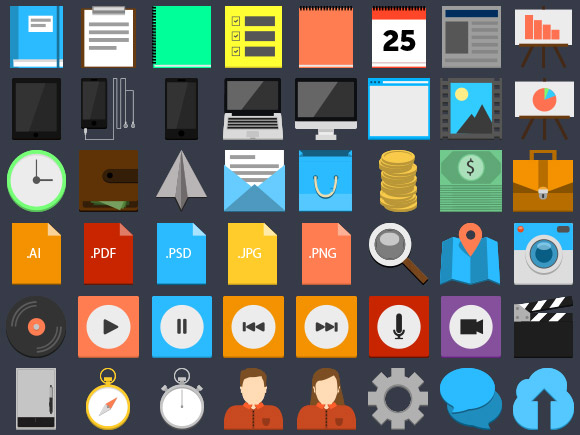
Flat design is web design trends nowadays. So, it is affect to all component of design. One of them is icons to use in web design. Here, i share 16+ flat icon sets to use in your design.  These icon sets divided into various topics that has its own uniqueness, because its designed by different people. I collect this from freebiesbug.com

Here they are..

1. 75 flat-style PSD icons


Read More...

What is Responsive Web Design ?

Leave a Comment
Responsive Web Design is a condition of web page that it design compatible & good looking in any devices with different screen resolution. It means the web page is still good looking when you access it from PC, Tablet, Smartphone and mobile. For example, when you access this site from different devices (PC/Tablet/Mobile), you will see the design is adapting to device resolution . By default, the web page which is designed for PC won't compatible when it accessed from mobile.
Read More...

7 Ways to Improve Google Crawling & Indexing on Your Sites

Leave a Comment
Improve Google crawling on your websites is a SEO Strategy to get reputation and good SERP in google search engine. It also a signal that your site is good website in google way. The more often your site crawled & indexed by google, the better SERP you will get in google search engine. So, to get that all, 7 ways below may help you to make googlebot crawling your site frequently and get indexed.

Read More...

How to Set Title, Thumbnail & Description For Shared Link on Facebook

Leave a Comment
After publishing a post on your blog, surely you want that post read by people around you. It is commonplace to share you new posts to facebook. And, when you share an URL of your blog posts on facebook, It will automatically load title, thumbnail image and description for blog post you share, as shown below:


Read More...

10 Websites to Find & Download Free icons

Leave a Comment
One of the factors that determine good or not a web design are the icons used. The icons serve as a description of label or text in the web. Sometimes, icon also used as a substitution for the word on the menu, because it looks better visually and easy to understand. The fact said that the representation of something by using a picture (icon) is better and preferred by users.
Therefore, the use of icons when designing a web page can not be underestimated. But, the problem is, not all web developers expert in designing or making icons. So, here i am sharing a list of sites for free and paid-source icons which sort by  quality and completeness of the icon .

1. Iconfinder

Icon Finder
Read More...

15+ Best Free Magazine/Blog Blogger Templates

Leave a Comment
Today, Blogger users using blogger not only as blogging platform to share their story. Blogger also used for news, reviews, tutorial, online shop and other kinds of website to make money. Because of that, the necessity of blogger templates which suitable with those niches of website is increased. The Magazine blogger template is one kind of popular blogger templates needed by people for their news, reviews and magazine blogger site. Here, i share 15+ the best free blogger template with magazine & blog style. I hope you enjoy & love it.

1. Pertamax!!

Pertamax original blogger template
Pertamax!! is a Flat and HTML5 Blogger template. Designed by an indonesian called Kang rian. Although it is just blogger template, but it have some cool features and widget. The design is fresh. The navigation is also visitor friendly with top navigation menu. It also have 3 columns footer widget. This template have a red style as original and blue style.

Read More...

Now, This Site become Official Blog of TemplateScream.com

Leave a Comment
From today, this blog become official blog of templatescream.com. TemplateScream is my website that share the best and quality website template. It include blogger template, wordpress theme, HTML/CSS template, PSD Template, Tumblr Theme and Joomla template.

I will share all about templatescream.com and all about website design tutorial and freebies here without remove old article. Hope you will enjoy it! Thanks.

~Muhammad Syakirurohman~
Read More...

Easy way to get subscriber to blogger blog

1 comment
So here I am showing you the easy way to get maximum subscribers to your blogger blog, because use of wordpress its pretty low to get better subscriber to increase the blog traffic. You already know that subscription is more important so the people or user of your blog always remain in contact with your blog with their subscribe option so they get email alert when any new update takes on your blog.
There are many ways to bring the subscribers to your blogger blog but first you have a fully section of subscription on your blog so the people came to site they see the option and can easily get updates from your blog.

Most significant way to bring more subscription is to add a gadget of subscription to your blog so a normal person can get the updates. It does not take much time to add on blogger here is the way to add subscription box to blogger blog check them out and you find a better way to do that.


Features of adding this gadget

Well as my thinking there are many merits of adding this box to blog you can easily connect with your audience.

  • That’s the best way to increase your blogger blog traffic.
  •  Its bring professionalism in your blog so reader attract to get more work.
  • Users stay on your website long time to get more info.
  • It’s very easy to install and bring much response.
  • Main thing is that user stay connected with your blog and can read new posts.

There are also many other ways to get traffic or stay connected with website like facebook, twitter but this method is directly goes to their email and people directly read the invitation that you have updated the blog and please come on it to read the blog work.

You can increase the subscribers and social points if you add the subscribe box to blogger it’s not only a one way of getting a thousands of visitors to website with organically but it also remain connected with your daily active users.

If we see the wordpress according to blogger then wp already added the subscribe box but blogger not but blogger is more better then wp there are several reasons about it but it’s not a topic whatever we talk.

So finally I am just want to say that adding or installing the subscriber gadget to blogs is most and powerful attractive way to bring visitors to your blog or website. You can easily send all of your subscribers new and feed to stay connect with them. Here are some services which provide the subscribe facility for free,

Feeburner.com (by google highly recommended)
cwsubscribe.com
rhapsody.com


Author :
I am Amir and love blogging working from more than 5 years in blogging field you can find me on my blog
Read More...

How to Increase Facebook Likes Easily With Popup Box

1 comment
These days Fb get away from the particular the search engines guiding now the superior pet with Alexa which can be your list application for each internet site. Below I will inform you that it's incredibly essential to acquire Myspace prefers aimed at your website along with the try and generate the content should be only offer you your strategies to make smarter loves to ones lover web site upon http://www.facebook.com.

Areas techniques to receive prefers with your page

Put just like field internet:


There's a completely new approach you include popup pack in order to web site to obtain additional prefers from this, in the event somebody emerged aimed at your web as well as just like your articles he then in addition such as the facebook web site to get additional revisions onto it.Thus you must ought to create this container regarding choose to your site or even web page that very easily improve the kind of ones enthusiast webpage.

Publicize your own webpage:


It is yet another yet paid out strategy to obtain enjoys internet enthusiast webpage, once you develop a webpage an individual only have to go to the promote part of your facebook web page, even if a person membership on your MYSPACE bill as well as route in your web page subsequently inside the correct area of this webpage you can view that there are support look about it that question to market the web page to obtain additional loves, people have to click this as well as populate a number of important info so you are generally completed the assist are going to be apparent with future short amount of time, and also you are receiving wants to your current webpage.(It will need $$ to try and do so)

Acquire enjoys:


There is certainly an additional approach you may get wants to your own web site should be to purchase loves, for those who have developed some sort of lover web site you should head over to yet another web site and purchase the actual wants to the lover web page (this seriously isn't encouraged suitable now).This kind of enhance the MYSPACE prefers they will not be thoroughly appropriate and also you don’t find obtain the most as a result.

Suggested procedure:


I would recommend one to squeeze in a Myspace similar to package in order to web site to become more loves this can be no cost procedure therefore you don’t must devote any kind of income into it.Which means this perform is completely no cost. I will be working my own weblog plus perform identical in addition to We are in a position to receive 100 in order to 1000 prefers within small forty eight a long time, in case you are likewise performing a similar you will additionally find the very same.
Should you don’t have got almost any internet site or even website next this really is minor tough you should opt for the minute approach which can be promotion method about Facebook or myspace it'll take definitely greater loves to web site.


This is a guest post by Amir Freed. You can also find him on http://mbgadget.blogspot.com
Read More...

CSS Tutorial : How to hide selected scrollbar on web pages

1 comment
This post based the question/comment of +Nauman Afzal Zia In the related article : How to remove scrollbar in your blog/site pages.

"Hi! This was really helpful. I am actually making a Survey from Google Doc. I got its code and embed it on my blog. Now there were two scroll bars there. One from the survey and one from the main page. With your code I have removed both. Can you help me removing the inner one only. I mean I need one on the blog but not on the survey."


In that post the codes is working for hide all of scrollbar in the pages. If you only want to hide selected scrollbar on web pages, you can do that by insert the Css codes below :


/* To remove Body Scrollbar (Main Scrollbar in right side)

body::-webkit-scrollbar {display:none;}
body::-moz-scrollbar {display:none;}
body::-o-scrollbar {display:none;}
body::-google-ms-scrollbar {display:none;}
body::-khtml-scrollbar {display:none;}


Also, you can hide spesific scrollbar on the pages by mention Class/Id Selector. For example, you want to hide scrollbar of div tag by class "testing" :


/* To remove .testing Scrollbar

.testing::-webkit-scrollbar {display:none;}
.testing::-moz-scrollbar {display:none;}
.testing::-o-scrollbar {display:none;}
.testing::-google-ms-scrollbar {display:none;}
.testing::-khtml-scrollbar {display:none;}

Okay, That's all guys. Hope you helped by this. Keep Spirit and Happy Blogging :)
Read More...

CSS Tutorials #1 : Know The Most Commonly Used Of CSS Properties Part 2

Leave a Comment

This is the next part of the previous tutorial, so if you don't have read the previous tutorial, please see that in here :

CSS tutorial #1 : Know The most commonly Used of CSS propreties

We still talk about the most common use of CSS properties. In previous post, I just have told you 2 points. But, now is more. And, from now i won't explain by theory. Because that's boring. So i will explain by practical and a little note.

3. CSS text styling : text-align, text-transform, text-decoration.

Let's see the implementation :

<div class="selector">

This is the implementation of text-align, text-transform, and text-decoration.

</div>
<style type="text/css">
.selector {
border:1px solid black;

text-align:right;
text-transform:Uppercase;
text-decoration:underline;
}

</style>

The codes above will generate the output like this :

This is the implementation of text-align, text-transform, and text-decoration.

The values you can fill for the three properties above is :

text-align: "right", "left", "justify", and "center".
text-transform: "Uppercase", "Capitalize", "lowercase", and "none".
text-decoration: "underline", "line-through", "blink", "overline" and "none".

please try all of the values if you want to know the function of those all.


4. CSS Font Styling : Font-size, Font-family, Font-weight, Font-style

Let's see the implementation :

<div class="selector1">

This is the implementation of Font-size, Font-family, Font-weight, and font-style.

</div>
<style type="text/css">
.selector1 {
border:1px solid black;
font-size:14px;
font-family:arial;
font-weight:bold;
font-style:italic;
}

</style>

The codes above will generate the output like this :

This is the implementation of Font-size, Font-family, Font-weight, and font-style.


The values you can fill for the three properties above is :

font-size: you just can input the values by "pixel".

font-family: There are too much kind of font you can input as values. See on Microsoft office word fonts. Also, you can input the value by combine some of fonts Like this :

font-family:calibri, arial, Trebuchet MS;

The output will be generate the new font. But the first font (in the code above is "calibri") will be dominant font.

font-weight: "0", "100", "200", "300", "400", "500", "600", "700", "800", "900", "bold", "bolder", "Lighter", and "normal".

font-style: "italic", "oblique", and "normal".

please try all of the values if you want to know the function of those all.

5. Float

Let's see the implementation :

<div class="selector2">

<div class="float1">
This is markup.
</div>

<div class="float2">
And this is other markup.
</div>

</div>

<style type="text/css">
.selector2 {
width:500px;
height:200px;
}
.float1 {
float:right;
width:240px;
height:150px;
background:black;
color:white;
}
.float2 {
float:left;
width:240px;
height:150px;
background:white;
}
</style>

The codes above will generate the output like this :

This is markup.
And this is other markup.


Note : To use "float", you must use width and height. Because, without width and height, the "float" will seen like not functioned. Also, I use the background color to make mark the "float1" and the "float2".

The values :

float : "left", "right", and "none".


6. Position

Let's see the implementation :

<div class="selector3">

<div class="relative">
This is Markup with "Position:relative;"
</div>

<div class="absolute">
This is Markup with "Position:absolute;"
</div>

<div class="fixed">
This is just demo for "Position:fixed;"
</div>

<div class="static">
This is Markup with "Position:static;"
</div>

</div>

<style type="text/css">
.selector3 {
width:500px;
height:300px;
border:1px solid black;
 position:relative;
font-size:12px;
}
.relative {
width:150px;
height:100px;
position:relative;
background:blue;
}
.absolute {
width:150px;
height:100px;
position:absolute;
background:black;
top:0px;
right:0px;
}
.fixed {
width:150px;
height:100px;
position:fixed;
background:red;
bottom:0px;
left:300px;
}
.static {
width:150px;
height:100px;
position:static;
background:green;
}
</style>

The code above will generate the output like this :

This is Markup with "Position:relative;"
This is Markup with "Position:absolute;"
This is just demo for "Position:fixed;"
This is Markup with "Position:static;"


Note : As you see, CSS position have 4 option of values : "relative", "absolute", "fixed", "static". Explaining all functions of values are complicated to me. So, I give you the sample of all. just try it all and know the functions. For "position:absolute;" and "position:fixed;" you must use the properties of "bottom", "top", "right", and "left" to set the position. The values is by "pixel".

Okay. That's all for first tutorial. I hope this is helping you. Wait for the next tutorials next week.. See you ;)


~Muhammad Syakirurohman with his young spirit~

Read More...

CSS tutorials #1 : Know the most commonly used of CSS properties part 1

Leave a Comment
Hello, blogger long time no see :D.. Here i online again and will share something to you. Now and then i will make posts series about CSS tutorial.And, I promise to never stop posting on the way :D, I will post every week(on saturday or sunday) for this series. Okay, Let's begin..

First you must read this article to know basic of CSS :

KNOW THE CSS CODE FOR YOUR BLOGS

Image from cscie12.dce.harvard.edu
If you have read the post above, Now i will assume you that you have know how to use CSS in the website or blog. Now we will talk about CSS properties that most commonly used by people.


1. Background and color

Well, from the name i sure that you have know what is background and what is color. Okay, just go ahead to implementation.

<div class="selector1">This is implementation of CSS background and color</div>
<style type="text/css">
.selector1 {
background:black;
color:green;
}
</style>

The code above will be generate the output like this :


This is implementation of css background and color

The values
Above, i use value of "black" for background and "green" for color. if so, your option is limited because you can only input the value by the color name you know. Because of that, you should input the value by hexadecimal codes or rgb(red,green,blue). By this kind of values, you option is very much. The sample of use is :

*hexadecimal
background:#000000;          -#000000 is hexadecimal codes for black-
color:#00ff00;                      -#00ff00 is hexadecimal codes for green-

*RGB
background:rgb(0,0,0);         -rgb(0,0,0) is hexadecimal codes for black-
background:rgb(0,255,0);     -rgb(0,255,0) is hexadecimal codes for green-

Rgb is color setting by combine 3 of basic color (red, green and blue). The smaller value then the color will be  darker. The bigger value then the color will be brighter. Each of basic color have value from 0 to 255. Essentially, Hexadecimal and RGB is related. They are have same pattern. See, i will compare them by sample of "green".

#00ff00
rgb(0,255,0)

If we compare them we will take a conclusion that :
# is other form of rgb,
00 is other form of 0,
ff is other form of 255,
00 is other form of 0

yeah, like that. If you want learn more about hexadecimal and RGB just see it :

COLOR PICKER TOOL

2. Width, Height, Border, Margin and Padding

Surely, for width, height and border you have know what the means they are. But, for margin and padding, i will tell you what they are, because maybe they are different with what you think. Margin is an invisible line outside the selector area that separate it with other areas. The size of margin determine the range with other selector areas. While, Padding is an invisible line inside the selector area that give range between border of area and the contents therein. This is how to use them:


<div class="selector2">
<div>This is implementation of CSS Width, Height, Border, Margin and Padding</div>
</div>
<style type="text/css">
.selector2 {
width:200px;
height:100px;
overflow:hidden;
border:1px #000 solid ;
padding:5px;
margin:5px;
}
.selector2 div {
background:#000;
color:#fff;
height:100px;
}
</style>

The code above will be generate the output like this :

This is implementation of CSS Width, Height, Border, Margin and Padding.
Which is border, padding, and margin?
-border is the black line that surrounding the area.
-Padding is the no color space between border and the sentences "This is implementation of CSS Width, Height, Border, Margin and Padding".
-Margin is invisible outside the border. Margin will only be known if there are other areas that adjacent.

Image from www.templatemonster.com


The values
-Width and height : you can input value by "pixel" and "percent" (Like this :width:100%;). If you use percent, the real value is the pixel value of the parent element. The example is : if you add "width" or "height" property in to selector ".selector2 div" with value "90%", Then the real value is "90%" of "200px" (width/height of ".selector2"). Also, you can input the value by "auto" if you want to automatic.

-Border: "1px" is the size of border. "#000" is the color (Also you can use hexadecimal codes and rgb). And "solid" is the type of border. There are various type of border you can use. This is the list :
   -medium
   -thin
   -thick
   -dashed
   -dotted
   -double
   -groove
   -inset
   -outset
   -ridge
   -solid

if you want just make 1 side of border, like right side, you can use this code "border-right:1px #000 solid;"

-Margin and padding : 5px is size of margin/padding. If you want to use margin/padding only for 1 side, like right side, you can use this code "margin-right:5px;" or "margin:0px 5px 0px 0px;" (note: "margin:'upmargin' 'rightmargin' 'bottommargin' 'leftmargin'; "). Special for margin, you can make the area be located at center position by code "margin:auto;" or "margin:0 auto" or "margin:0 auto 0 auto;".. But it is not working for padding.

yeaah, for today i just share until here. Just wait the part 2 next week. See you :). Hope this stuff is very helping you.

~Muhammad Syakirurohman with his young spirit~

Read More...

I missing you, Blog!

Leave a Comment
It was about up to 2 month ago from my last sharing post. And now i will tell you something why i lost. Here, I do not share about tutorial or sharing knowledge about blog or something like that. I just share about my feeling.

Yeaaah, I missing blog. I missing to share posting to you. Also i missing to blogwalking, Interacting with you readers, editing and making template, read many article about blogsphere and everything about blog. :)

Unfortunately, maybe for some future time i can't back to blog like before :(.. I have some offline business and some online projects. Yeah, one of them is learning and creating WordPress themes to sell. So i can't posting as often as before. I am sorry, but i will come back soon and share to you again.. See you..

~Muhammad Syakirurohman

Read More...

I am on producting WP premium themes

Leave a Comment
This blog maybe will not updated for some time future. I am on learning to product WP themes, so i vacum from blogging. I will come back later. See you...
Read More...

Guest Blogging Tips, Tricks and Strategies

4 comments
Hi.. Bloggers! It is a part 2 of article about guest blogging. Before, I was posted what's guest blogging and the benefits. Now, as i said in previous guest blogging post, i will share to you how to guest blogging, the tips and strategies.

Tips and tricks guest posting
image from www.livelaughrowe.com 

We know that guest blogging is have many benefits to our blog or our business. However, we are never get those benefits if we don't run the tips, tricks and the strategies. Guest blogging is a art. Don't ever to do that carelessly. Because on the contrary it is will make you loss. Your authority will decrease because your careless posts.

Because of that, you need to know how to guest blogging to increase your popularity. So, here i serve some tips and strategies to do that. Just follow....

TIPS

1. Submit post in famous sites
It has become a  absolute requirement that the popularity is determine your posts will get more hits or no. You must selective in choose the sites to submit ur posts. It is to get max result in your guest blogging. Before you submit your post, Ask the blog owner about the traffics. See also the number of feedbacks/comments in every posts. Also test the popularity in search engines, alexa rank and page rank of that sites.

2. Read and follow the guidelines and rules.
Before you submit your posts, you also must read the guidelines and the rules of guest blogging in the sites you selected. It is important to avoid the rejection and to know what the blog owner want. If there are no guidelines of guest blog page, just ask the blog owner via email. But remember, make sure that blog accept the guest blogging post. Because no all blog accept guest blogging.

3. Create the best contents
Don't hesitate and feel loss to create the best contents for other blog. Keep in mind, actually this is the main key of success in guest blogging. Don't ever submit your worst posts or your guest blogging will be useless. Even, you should feel lucky because your post get read by new and more audiences. Remember, people will more appreciate the author of post (you) than the publisher(blog owner). So, make sure that you introduce yourself to the reader.

4. Make The blog owner feel lucky to your posts
Well, Don't make the blog owner feel loss. How to make him feel lucky ?. Just submit the best of your post. Also optimize it. It will be perfect.

5. Be honestly
Almost every blog which accept guest blogging, make a requirement that the post you submitted must original, no plagiarism and no publish it again. This is for avoid duplicate contents for their blog. So you must obey this requirements. Don't ever to submit the same posts to 2 blogs or more. Be honestly..

6. Make a good and continuous relationship
This is important. Don't only consider the blog owner as the receiver of your post. Make him as your friend also. This will good if you want to submit your posts again later. Your post will easy to accepted because you are 'friend'.

7. Create the guest blogging Schedule
Yeah.. It is good. make guest blogging as your blogging habit. 1 guest post per month alone is good. Improve and promote your business/blog by guest blogging. The more your guest blog, The more your promotion, then the better your business/blog.

8. Submit different posts in different blogs
Don't submit your posts always to same blog. Submit your different posts to different blogs. It is for get new and more unique visitors, increase your experience and make more relationship.

9. Guest blogging in the blog which is related with your blog.
It is also important. Don't ever to guest blogging in blog which is not related with your blog. The audiences is not targeted. If your blog is about Gadget, Don't ever to guest blog in fashion blogs. It is idiot!.

TRICKS AND STRATEGIES

10. Be familiar to blog owner and negotiate
Before you submit your post, it's good if you do negotiation with the blog owner. So you must be familiar with him. Negotiate and ask the more right for your guest blogging. The example is insert more backlink in your guest post. But remember, if it is not allowed, don't enforce to do this because may be it is instead make you rejected.

11. Create useful and high quality post
It is so important and the main key of guest blogging. Show the blog owner that your post is useful and high quality. It also in order of create the best content as i talk in point 3. The more high quality of post, the bigger the opportunity to accepted and get feedbacks

12. Create the promotion content
What i mean is tell to reader about your business/blog in post body. But, make it implicit. Also, your promotion must really in topic. Don't OOT. But remember, if it is not allowed, don't enforce to do this because may be it is instead make you rejected.

13. Begin post with introduction paragraph.
Every i did a guest blog. I alwats begin my post by introduction paragraph. Like this...
" Hi.. I am syakirurohman of syakirurahman.blogspot.com. I am a guest author on this blog. Here, I will talk about bla bla bla bla. "..
Well.. like that. The result is my traffics from that blogs is more.
But remember, if it is not allowed, don't enforce to do this because may be it is instead make you rejected.

14. Prioritize individual post link than homepage link.
Usually, the blog owner allow the guest author to insert link in your post body. Surely, usually it is limited. So, prioritize the link to individual post in your blog than link to homepage. It is more potent to bring visitors to your blog because the thing they search is information. It is also better for SEO of blog.

15. Write in your style
You also must make you as yourself. Enjoy write a guest post in your style. Surely your style must interesting, good and cool. Make your reader enjoy read your post. it is important!.

16. Don't overload
Last, don't overload in doing of the tricks and strategies above. Everything overload is bad. Don't overload in promoting, insert too many links (backlinks spamming), negotiating and other.

Yeaah.. That's all from me. Do you have another tips? I waiting for your comments!..
Happy Blogging :)

Read More...

What is Guest Blogging and What's the benefits?

2 comments
Hi blogger.. after i didn't post in this blog for about 1 month, Now i am coming back. Then, i will talk about guest blogging.

Guest blog your way to success
Guest blogging - image from www.bloggingtipstoday.com

Okay, first i will tell you what is guest blogging..

By simple, Guest blogging is all about write posts on other blogs. Widely, Guest blogging is write posts on other blogs to promote and introduce yourself, blog or your business. Guest blogging is a marketing strategy in internet marketing. Exactly, it is a "Win-win solution" or mutual benefit strategy. The both sides (The guest author and the blog owner) get benefit from it. The guest author get new audiences and backlinks, while the blog owner get a new quality post without must create it.

It is a smart strategy to improve your business or your blog. Many internet marketers get success from this strategy. Even some internet marketers schedule to guest post every month. It because they were feel the benefits from that. Okay, for more details, see the benefits of guest blogging below..

1. Make a good relationship with other bloggers
Because this is a "Win-win solution", so other bloggers(blog owner) also give thanks to you for your goodness that has been willing to submit your post. This is a good start to make a friendship. in the future, even you can make a business cooperation with them, helping each other, sharing knowledge each other and many other. Keep in your mind! "The business is all about relationship".

2. Expand your network
When you have make many relation with other, then it means you are expand your network. This is the next of point 1. Only, this is more specific. it is the relation of business.

3. Get good backlinks
Guest blogging also good for SEO of site. Almost every blogs which accept guest posts allow the guest author to insert backlink in post body as reciprocity. Even, some bloggers give more than that. This is also will increase your pagerank.

4. Get new audiences
Well, you will get new audiences from guest blogging. This will boost your traffics. Some bloggers even increased double of their blog traffics. it is because they are serious and smart to guest post.

5. Tell other bloggers that you are exist on blogsphere.
Guest blogging make you more familiar on blogsphere. You will easy to get new audiences if you are familiar on blogsphere. moreover, if you are frequently to guest blog and your post submitted is high quality. Let the people find you.

6. Increase your authority as blogger
Of course, guest blogging is increase your authority.  Remember that currently the bloggers existence is worsen because copy-paste bloggers. This is prove that you are a good and true blogger. People will more respect the true blogger. Even if you write in famous blog, your authority will increase more.

7. improve your blog/business brand
Well, your brand also improve by guest blogging. Tell the audiences that your brand is good as good as the post. For this point, you must create the quality post and talk a few about your brand.

A few tips and conclusion.

mmm.. the seven points above are tell that guest blogging is have many benefits.  I think you strongly must try and do that.  It is good for your blog. Out there, even guest blogging have been made as liability by some bloggers.
Don't ever feel loss to submit your post to other bloggers. Anyway, it is still your post.. Even if the blog which is your post submitted is more famous than you, your post also will get more hit than if you publish it on your own blog. So, just begin to guest blogging. But before, i have a few tips for you..

- Learn more about guest blogging tips in order you get easier and get more benefits when you try to submit post to other.
- Feel free to ask to bloggers who have succeed by guest blogging.
- Make a schedule to guest blogging.
- Try to submit your post on famous blog. Maybe this is difficult, but no impossible thing in this world :)

For more tips about guest blogging, see the tips here.. So, wait it.. And don't forget to become guest author in this blog heheh just kidding :D..

Read More...

How a bored time...

Leave a Comment
January 25th - now is a bored time.. well, at that time i can't online everytime at home. My modem is lost. Now, I writing this post in internet cafe.
How a bored time now... so don't wonder if i don't update articles every week again....


Read More...